We’ve had a few people come by with issues connecting to xmpp.jp.
For unknown/unannounced reasons, xmpp.jp is now requiring TLS. This is a good thing, but it appears to be affecting a fair amount of users. it’s an easy fix but we decided a quick guide is probably for the best.
From the Buddy List window select Accounts -> Manage Accounts. This will open the Accounts window that lists all of your accounts. Find your xmpp.jp account in the list, select it, and then hit the Modify... button.
In the Modify Account dialog, click on the Advanced tab. From there change the value of Connect port: from 5222 to 5223 and hit the Save button.
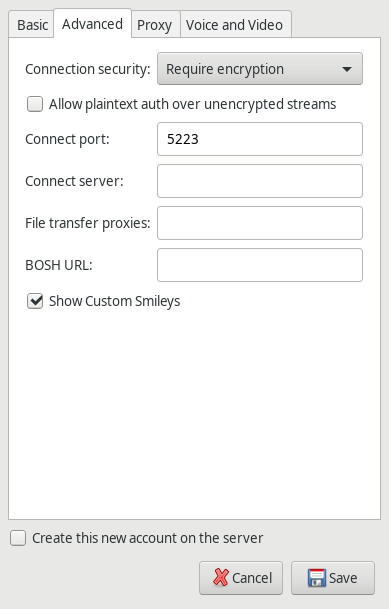
Back in the account manager, check the box to the left of your xmpp.jp account to reconnect which should work fine now.
If you have any issues please let us know!